0ms Local-First Engine
Instant page transitions, zero loading spinners. Your client catalog, item rates, and invoice builder live directly on your device.
For South African small businesses
Create a professional invoice, collect a deposit or part-payment, and always know what remains. Alevo gives South African small businesses one calm place to get paid and keep the record straight.
Free to start · No card required
Engineered for African Realities
Load shedding, cellular tower battery depletion, and remote site visits shouldn't halt your billing. Alevo's local-first architecture runs 90% of operations directly in your browser. Draft complex JBCC claims, calculate statutory retention, and compile Annexure A site photo records in dead zones with zero latency.
Instant page transitions, zero loading spinners. Your client catalog, item rates, and invoice builder live directly on your device.
Attach GPS-tagged site photos and export full PDFs on remote civil engineering and construction sites without cellular reception.
Dedicated SARS-compliant series partitioning prevents duplicate invoice numbers across multiple offline devices, syncing silently to the ledger once reconnected.
A clearer payment rhythm
Alevo brings invoicing, part-payments, expenses, and cash flow into one straightforward flow. Less hunting through screens. More confidence about what needs attention next.
Add your brand, line items, deposits, and due dates in a professional invoice.
Send a payment link and record deposits or part-payments as they arrive.
See clients, expenses, cash flow, and outstanding balances in one place.
See the product in use
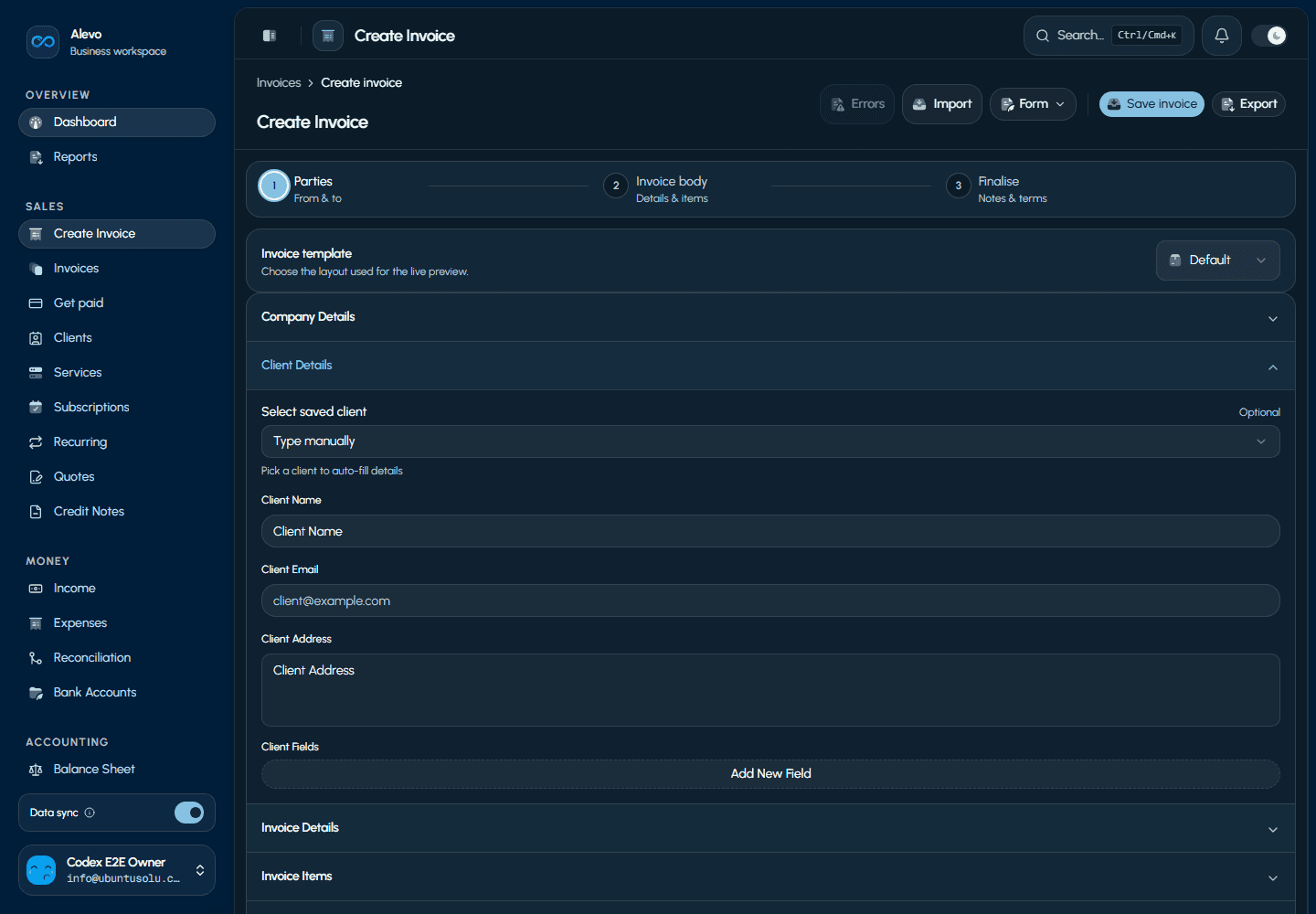
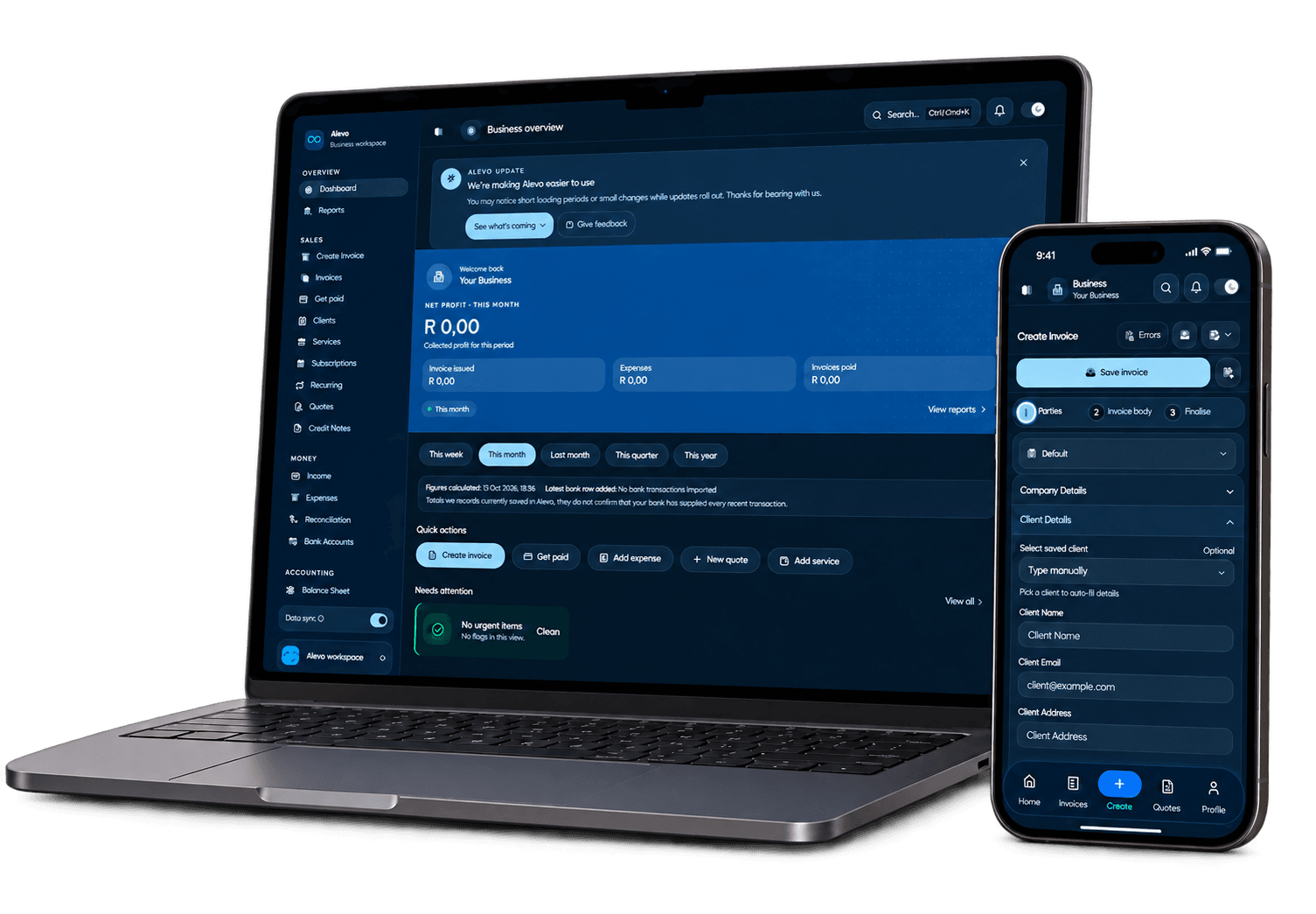
See the actual invoice creation flow on desktop and mobile, then review the invoice record once the work is moving.
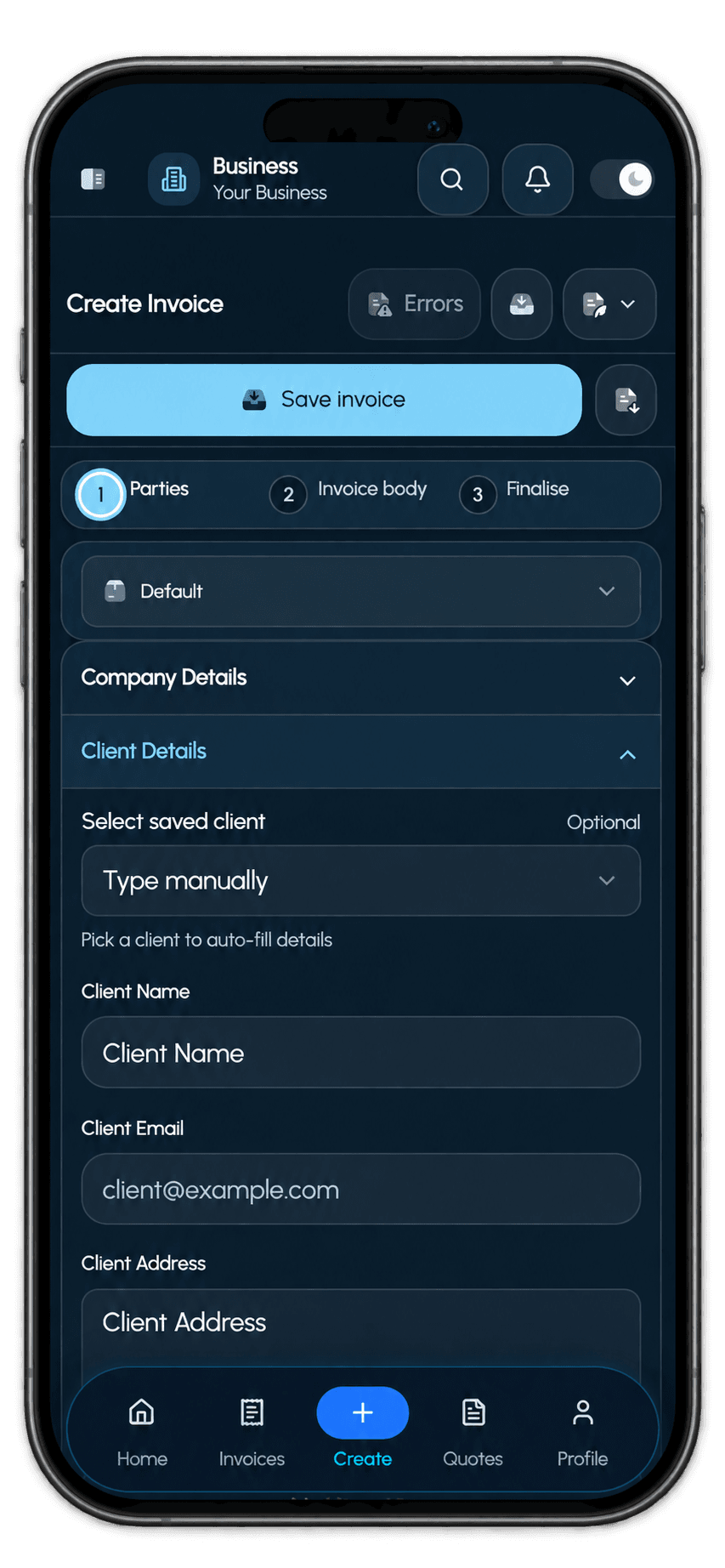
Parties, invoice body, finalise — in one guided flow.
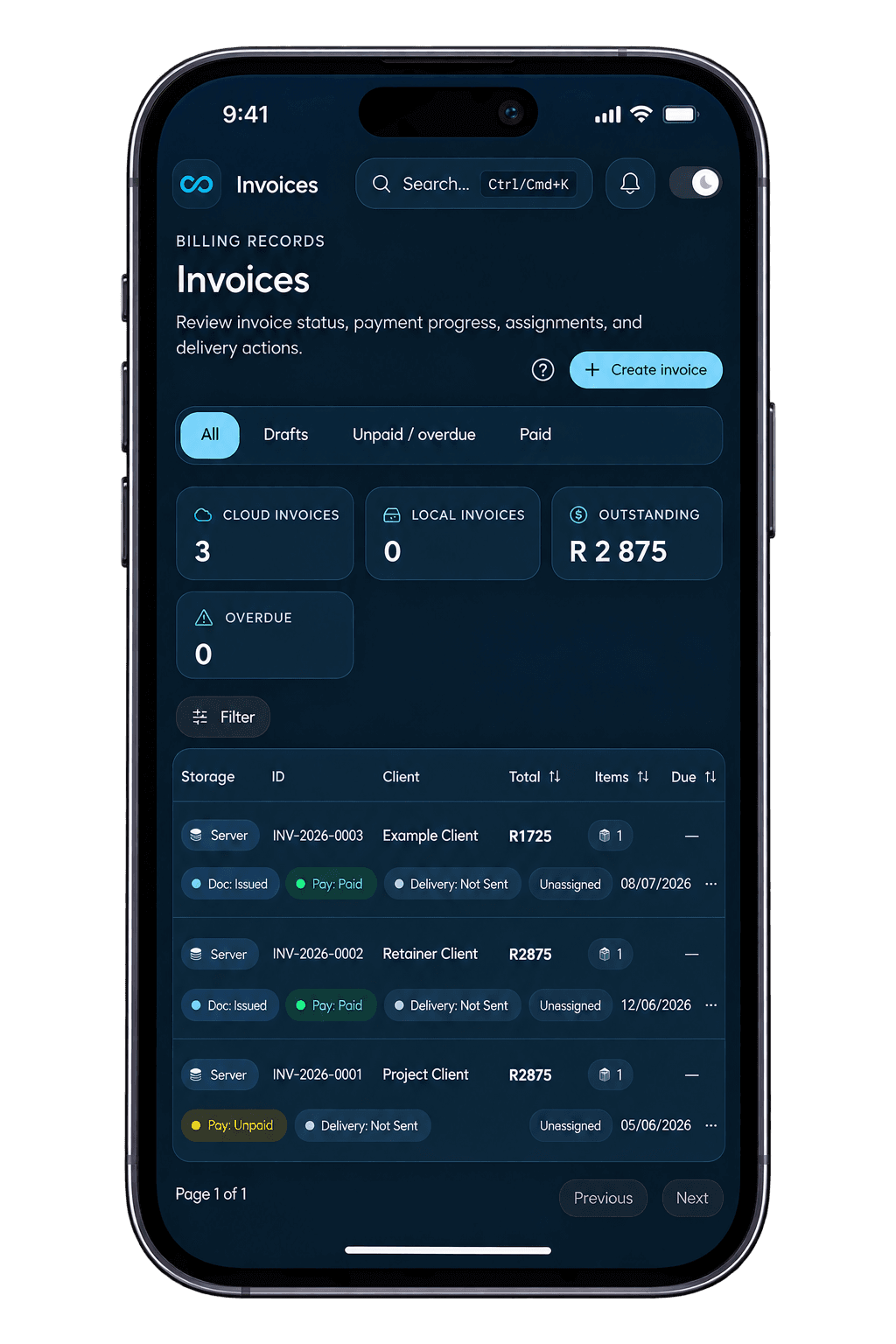
Review status, payment progress, due dates, and actions.
Built for the detail behind the work
Alevo keeps the familiar invoice flow, then adds the fields and document structure that high-context work needs. Here is what the product is built to hold.
Engineering document anatomy
Choose a specialist workflow to see the context Alevo keeps together before the invoice becomes a PDF.
Engineering workflow
Engineering invoices can carry the information clients and project teams actually need to approve work: project details, contract type, IPC references, retention, and evidence photos.
Plans that make sense
Create up to 5 invoices each month while we refine the best long-term plan for Alevo businesses.
Early access
Create invoices, collect payments, and keep your business money organised while we improve Alevo.
No card required. No paid plans are active.
Create your free accountA clearer place to begin
Free to start. No card required.